
Watch & Widgets
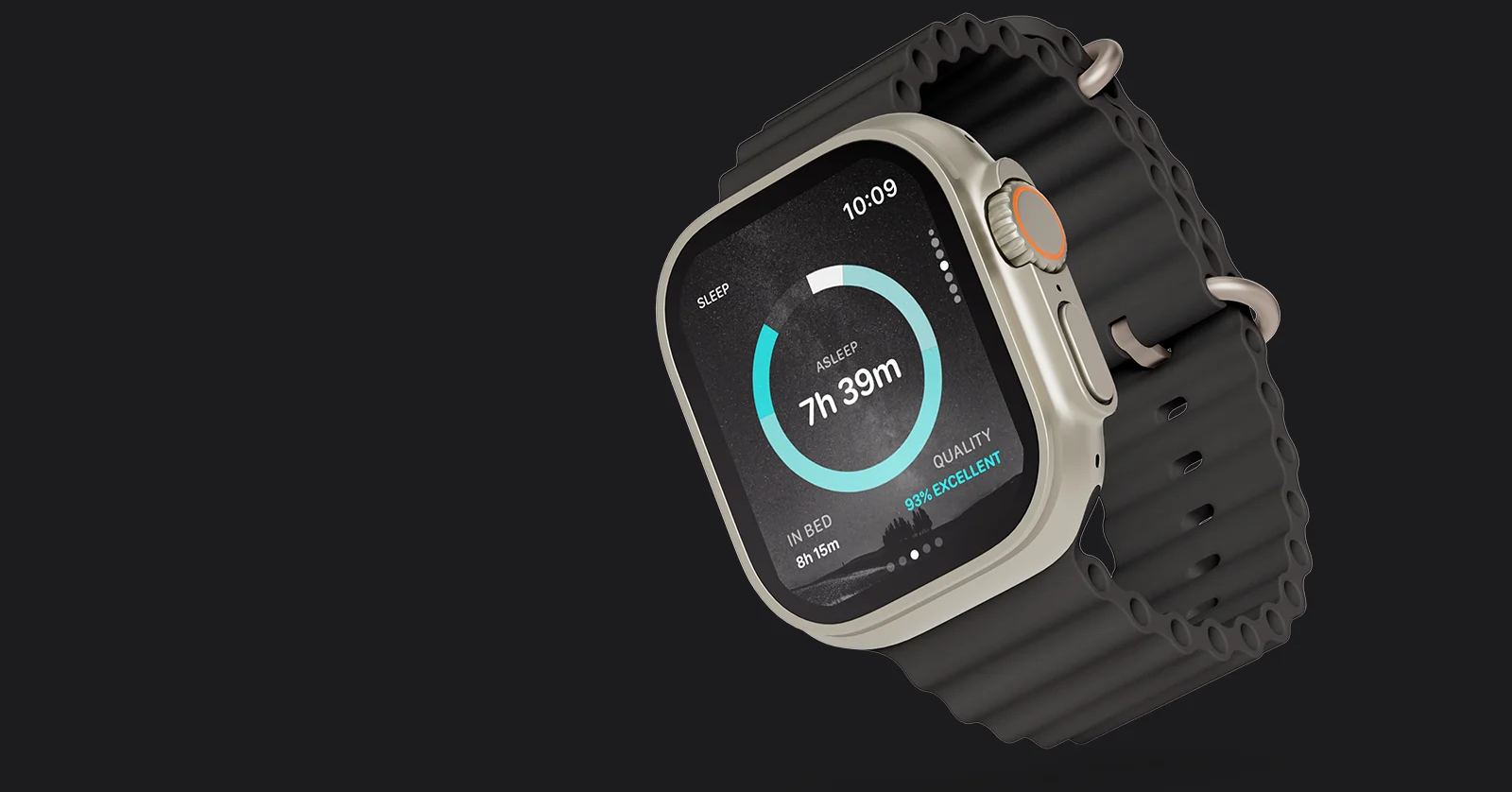
A recovery verdict only matters at the moment you act on it.
That moment rarely arrives with the App open on your phone. It happens at the gym door, on the walk to work, beside the bike, or in the few minutes before a run. The question is always the same: should I train today, and if so, how hard?
2.0.2 takes Flow Recovery to where those decisions are actually made: the Apple Watch on your wrist, and the home screen you already glance at dozens of times a day.
It is the largest release we have shipped.
The App, on your wristWe could have put a recovery score on your wrist and called it a Watch app.
Instead, we built the whole thing.
Flow Recovery now runs natively on Apple Watch, bringing your protocol, sleep, energy and recovery data to the device you actually look at before training.
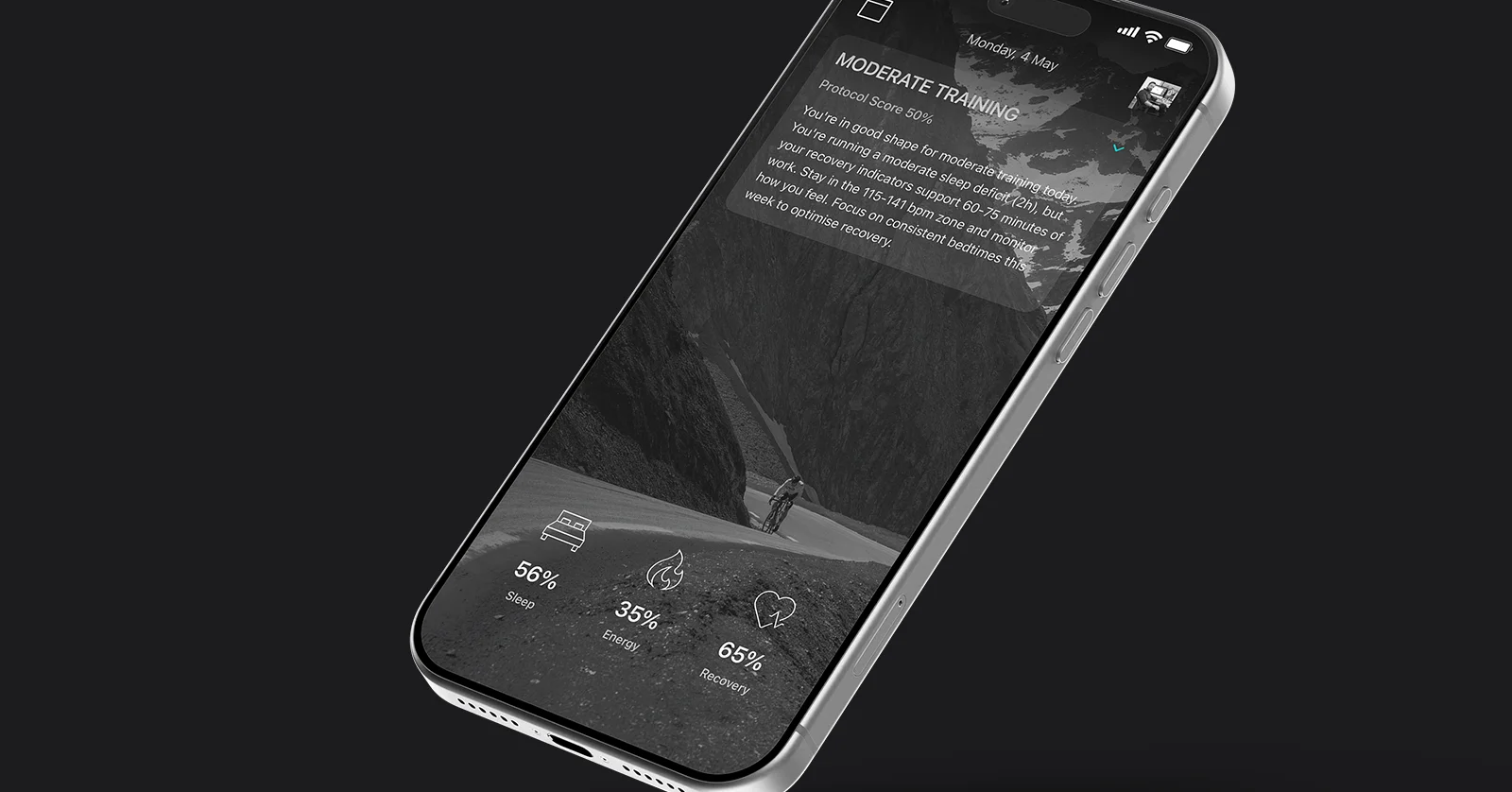
The daily protocol sits at the centre of the experience, with the verdict visible immediately and the reasoning behind it a tap away. The same context available on iPhone is now available on your wrist.
Sleep shows not just how long you slept, but how restorative that sleep was. Energy tells you whether today is normal for your body or not. Recovery places today’s readiness in the context of the training you have actually been doing. The detail behind every reading is only a swipe away.
Three supporting tools sit alongside the core data.
Reset Breathing brings guided breathing sessions directly to the Watch and iPhone, helping you reset before training, work or sleep.
Naps can be started directly from the wrist and immediately feed back into the day’s protocol, ensuring recovery sessions are reflected in the guidance you receive.
Supplements become a simple one-tap checklist, synced across devices and designed to remove friction from routines you repeat every day.
The result is simple: Flow Recovery no longer lives only on your phone. It now lives where your decisions happen.
On your home screenMost people check their home screen far more often than they open a recovery app.
Widgets bring Flow Recovery’s key signals directly to that first glance.
Your protocol verdict, sleep, energy and training load can now live on the home screen, updating automatically from the same engine that powers the App itself.
Each widget can be configured to display either today’s reading or a rolling seven-day view, depending on how you prefer to track your progress.
No app launch. No navigation. No hunting for information.
A glance is enough.
Built for everyday decisionsThe purpose of Flow Recovery has never been to generate more data. It is to help you make better decisions with the data you already have.
2.0.2 moves those decisions from the phone in your pocket to the wrist and home screen you already check every day.
As always, the App remains free, and your data never leaves your device.
Napping & Alarms

Napping & Alarms
Flow Recovery has always been built around a simple idea: help you make better decisions without taking ownership of your data. Everything the App knows about you stays on your device. There is no account to create, no server quietly collecting information in the background, and no trade-off between insight and privacy.
2.0.1 adds two features we have wanted in the Sleep view from the beginning: Naps and Smart Alarm. Alongside them comes a more informative daily protocol, refinements across the Sleep view, and a collection of fixes that make the App more accurate and more useful day to day.
NapsSleep does not only happen between bedtime and your alarm.
Many of the athletes we built Flow Recovery for train around demanding schedules, and a well-timed nap can turn a borderline day into a productive one. Until now, the App ignored that completely.
It no longer does.
Flow Recovery now detects short sleep sessions recorded in Apple Health and presents them for confirmation with a single tap. A genuine recovery nap counts towards your day. An accidental hour on the sofa does not.
If you prefer to start one yourself, there is now a built-in nap timer with sensible preset durations. Every nap appears in a rolling seven-day history and is scored according to the contribution it made to your recovery, rather than simply being logged as more time asleep.
A sharper daily protocolThe daily protocol remains the heart of Flow Recovery.
The challenge with a categorical verdict is that two MODERATE days can look identical, even when the reasons behind them are completely different. One might be driven by poor sleep. Another by accumulated training load. The recommendation is similar, but the context matters.
2.0.1 introduces contextual sub-labels that explain what is driving today’s verdict. Instead of simply seeing the outcome, you can immediately see the signal that contributed most strongly to it.
The daily actions suggested by the App have also been expanded. Recommendations are now selected from a larger pool and matched more closely to the day in front of you, rather than cycling through the same handful of suggestions.
Smart AlarmSmart Alarm brings alarm functionality directly into the Sleep view, removing the need to rely on a separate app.
Alarms can wake you through your iPhone using audio, or through Apple Watch haptics if you wear a watch overnight. For many people, a tap on the wrist is a more civilised way to wake up than a phone sounding across the room.
Snooze duration is configurable, multiple sounds are included alongside the system default, and the App will warn you if your phone is set to silent before you go to sleep.
Smart Alarm currently focuses on dependable wake-ups. Intelligent wake windows based on sleep stages are planned for a future release.
Sleep view, refinedSeveral areas of the Sleep view have been improved alongside the headline features.
Sleeping Wrist Temperature now opens into a seven-night deviation view, complete with status indicators and plain-language explanations that provide useful context around the trend. A number that previously sat alone now tells a clearer story.
Metric cards have been refined for consistency, with cleaner labels and improved layout throughout the view.
There is also a better experience for anyone who chooses not to connect Apple Health immediately. New users now see a neutral starting screen with a dismissible connection card and a clear route back whenever they decide to connect later. Settings now accurately reflect connection status as well.
And the restBeyond the headline features, 2.0.1 includes a range of smaller improvements and fixes across the App.
Workout classification has been refined, sleep data filtering has been improved, launch animations have been tidied, and a number of edge cases throughout the experience have been addressed.
Most of these changes are invisible when they work correctly, which is exactly how they should be.
Naps and Smart Alarm have been on our roadmap since the beginning. 2.0.1 finally brings them into Flow Recovery, alongside a smarter protocol and a more useful Sleep view.
As always, the App remains free, and your data never leaves your device.
2.0.0 Flow Recovery is here
Tell us what would make Flow better

Every feature in Flow Recovery starts with a simple question:
“What would make tomorrow’s decision easier?”
This board is where you can answer it.
Some of the features already in Flow Recovery began as conversations with athletes, coaches and everyday users who wanted the App to solve a specific problem. Others started as small frustrations that became obvious once enough people pointed them out.
This is where those conversations now live.
Share ideas, vote on suggestions from other users and follow features as they move from concept to release.
Some of our best features started as a single suggestion.
Yours might be next.