

Clearer guidance, in more languages
A daily Protocol should be easy to understand, whether you’re deciding how hard to train, heading home after a session or winding down for the night.
With 2.0.4, we’ve refined how Flow explains your day and added four new languages.
Flow, in your language
Flow Recovery now supports German, Estonian, French and Spanish alongside English.
Flow uses your iPhone’s preferred supported language unless you’ve chosen a different language for the App. To change it, open your Profile, tap Settings, then tap the Language row under the Language heading. This opens Flow Recovery’s page in iPhone Settings, where you can change the App’s language.
A clearer daily Protocol
Before training, you want to know what level of effort makes sense. Afterwards, you want guidance that recognises the work you’ve already done.
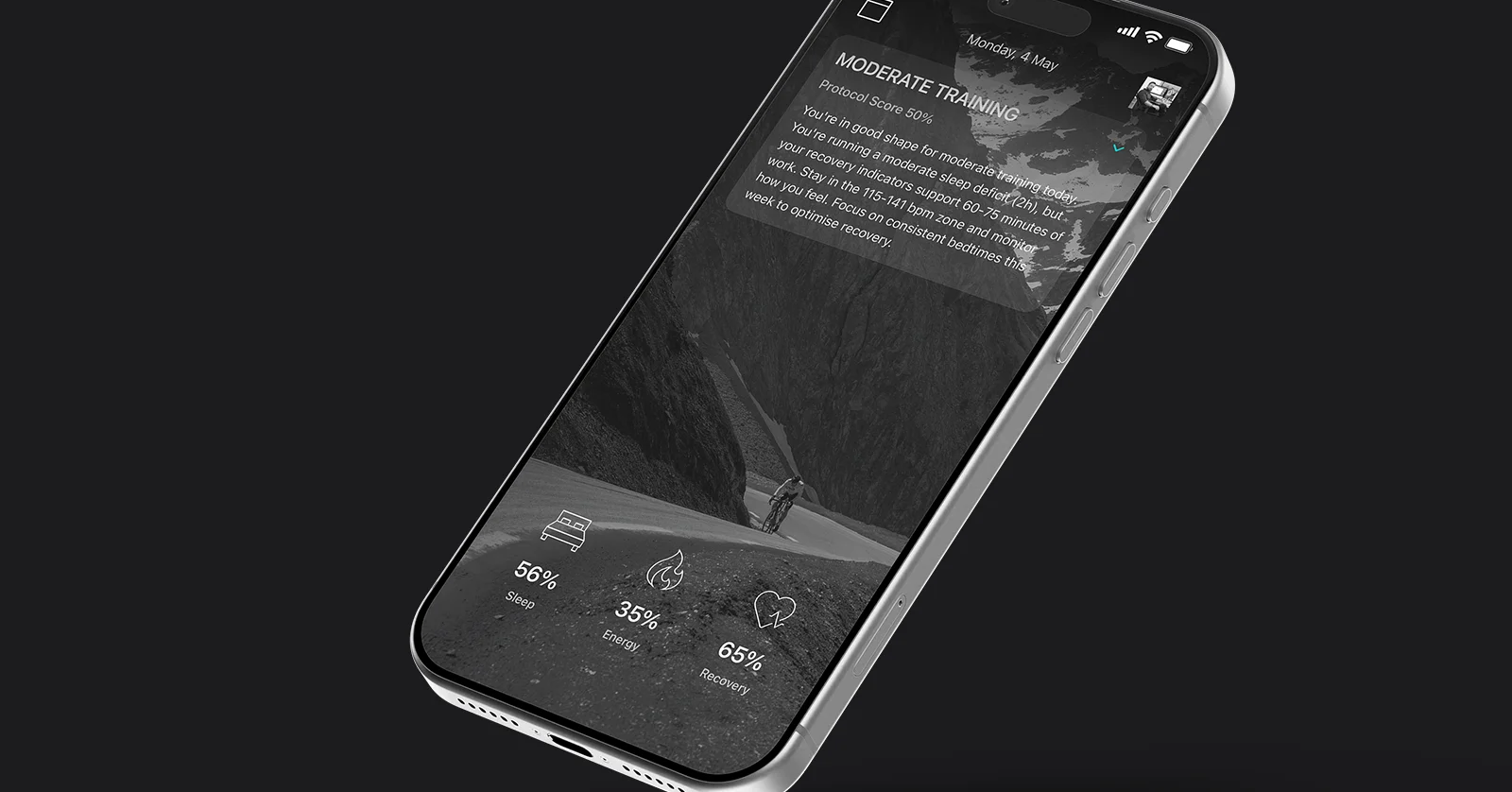
We’ve rewritten the daily Protocol wording so recommendations read more naturally and repeat themselves less. Before a session, the guidance focuses on the effort ahead and how to adjust as you warm up. After training, it turns towards recovery, food, fluids and preparing for sleep.
We’ve also tightened up the supporting actions. Each action no longer repeats your training target, and suggestions that cover the same topic are filtered out, so each one has a clearer purpose.
Also in this update
The Training Load widget no longer appears as a blank white tile after you change your Home Screen’s appearance. Thanks to Beta Tester Emin Hodzic for reporting it.
As always, the App is free and your health data never leaves your iPhone. Download Flow Recovery on the Apple App Store
A clearer start with Flow
The first time you open Flow Recovery, there’s one question we want to help you answer. What should I do today? Getting to that answer should feel straightforward, even if you’ve never looked at your training load or opened a sleep chart.
With 2.0.3, we’ve rebuilt the first few minutes of the App. There’s a clearer path to your first daily Protocol, a hands-on tutorial and guides to the science behind your numbers.
From first launch to your first Protocol
Onboarding now starts with you. Tell Flow what you want to get out of it and how much sleep you’re aiming for, and it will show you how your activity and recovery data shape your daily Protocol before you see your first one. So when you open the App the next morning, you’ll already know where to look.
We’ve also simplified notification preferences so the choices you make during setup match what you’ll find in Settings. If your date of birth is available in Apple Health, Flow can fill it in for you. Your age helps us tailor your protocols.
Learn by using the App
Knowing where to tap makes a difference. The new tutorial highlights real cards in Flow and walks you through the gestures you’ll use every day.
Tap an icon to open a view, swipe up to explore it and tap a card to see the detail underneath. Close an expanded card using its chevron, or tap another card. A swipe down takes you back Home from anywhere.
Whether you’ve just installed Flow or have been using it for months, you can replay the tutorial at any time. Open your Profile and tap App Tutorial under the Help & Support heading.
Go deeper when a number catches your eye
Some days, a glance at your Protocol is enough. Other days, you might want to know what a sleep metric measures or why a change in recovery is worth paying attention to.
New Learn More cards in Sleep, Energy and Recovery open guides to the science behind those readings. They sit alongside the metrics, so you can read more when a question comes up and then get back to your day.
Easier to read
We’ve also refined the wording, contrast and layout across the App to make the details easier to take in.
Flow Recovery 2.0.3 is available on the Apple App Store. As always, the App is free and your health data never leaves your iPhone. Download Flow Recovery
Watch & Widgets
A recovery verdict only matters at the moment you act on it.
That moment rarely arrives with the App open on your phone. It happens at the gym door, on the walk to work, beside the bike, or in the few minutes before a run. The question is always the same: should I train today, and if so, how hard?
2.0.2 takes Flow Recovery to where those decisions are actually made: the Apple Watch on your wrist, and the home screen you already glance at dozens of times a day.
It is the largest release we have shipped.
The App, on your wrist
We could have put a recovery score on your wrist and called it a Watch app.
Instead, we built the whole thing.
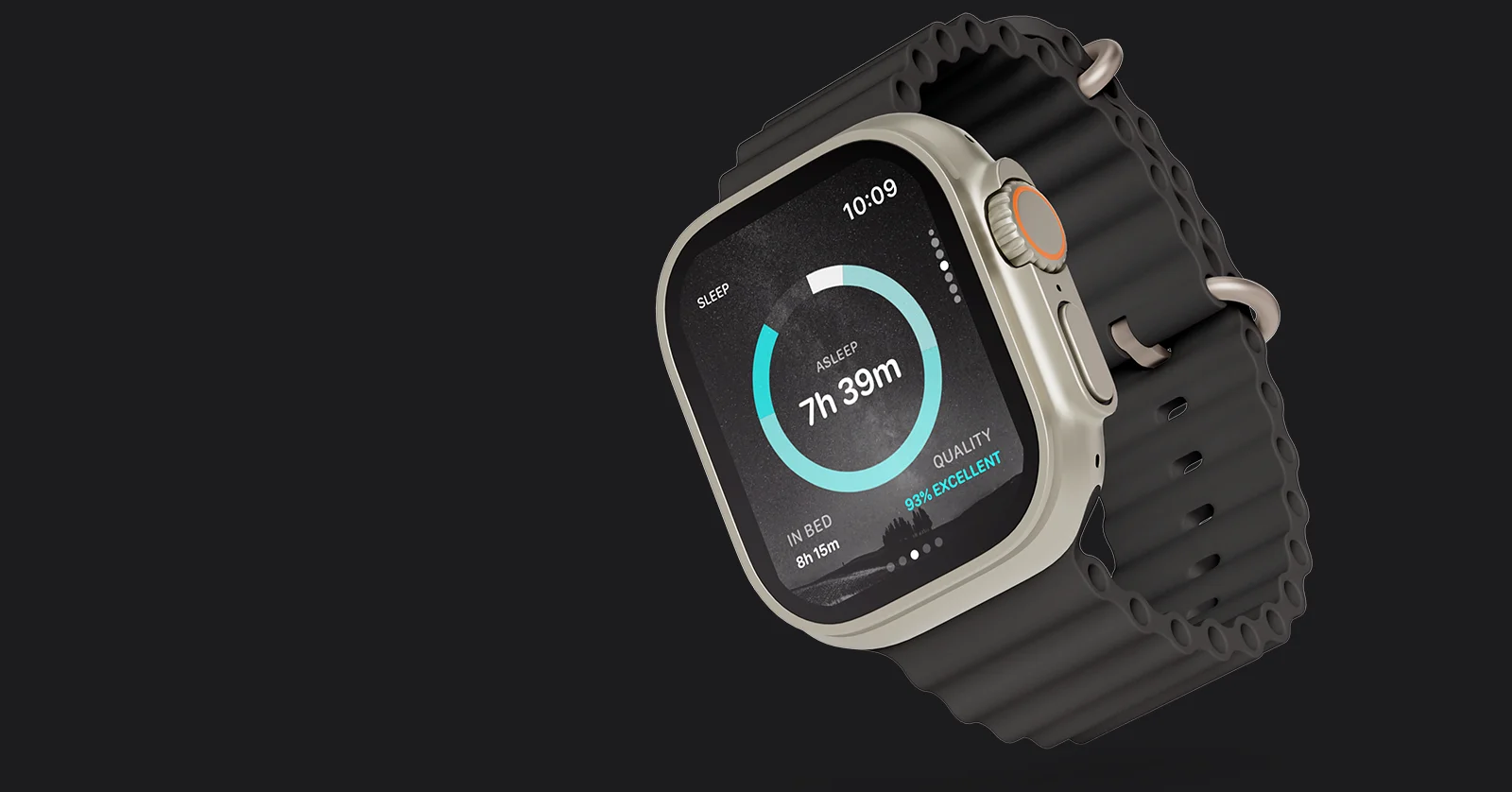
Flow Recovery now runs natively on Apple Watch, bringing your protocol, sleep, energy and recovery data to the device you actually look at before training.
The daily protocol sits at the centre of the experience, with the verdict visible immediately and the reasoning behind it a tap away. The same context available on iPhone is now available on your wrist.
Sleep shows not just how long you slept, but how restorative that sleep was. Energy tells you whether today is normal for your body or not. Recovery places today’s readiness in the context of the training you have actually been doing. The detail behind every reading is only a swipe away.
Three supporting tools sit alongside the core data.
Reset Breathing brings guided breathing sessions directly to the Watch and iPhone, helping you reset before training, work or sleep.
Naps can be started directly from the wrist and immediately feed back into the day’s protocol, ensuring recovery sessions are reflected in the guidance you receive.
Supplements become a simple one-tap checklist, synced across devices and designed to remove friction from routines you repeat every day.
The result is simple: Flow Recovery no longer lives only on your phone. It now lives where your decisions happen.
On your home screen
Most people check their home screen far more often than they open a recovery app.
Widgets bring Flow Recovery’s key signals directly to that first glance.
Your protocol verdict, sleep, energy and training load can now live on the home screen, updating automatically from the same engine that powers the App itself.
Each widget can be configured to display either today’s reading or a rolling seven-day view, depending on how you prefer to track your progress.
No app launch. No navigation. No hunting for information.
A glance is enough.
Built for everyday decisions
The purpose of Flow Recovery has never been to generate more data. It is to help you make better decisions with the data you already have.
2.0.2 moves those decisions from the phone in your pocket to the wrist and home screen you already check every day.
As always, the App remains free, and your data never leaves your device.
Napping & Alarms
Napping & Alarms
Flow Recovery has always been built around a simple idea: help you make better decisions without taking ownership of your data. Everything the App knows about you stays on your device. There is no account to create, no server quietly collecting information in the background, and no trade-off between insight and privacy.
2.0.1 adds two features we have wanted in the Sleep view from the beginning: Naps and Smart Alarm. Alongside them comes a more informative daily protocol, refinements across the Sleep view, and a collection of fixes that make the App more accurate and more useful day to day.
Naps
Sleep does not only happen between bedtime and your alarm.
Many of the athletes we built Flow Recovery for train around demanding schedules, and a well-timed nap can turn a borderline day into a productive one. Until now, the App ignored that completely.
It no longer does.
Flow Recovery now detects short sleep sessions recorded in Apple Health and presents them for confirmation with a single tap. A genuine recovery nap counts towards your day. An accidental hour on the sofa does not.
If you prefer to start one yourself, there is now a built-in nap timer with sensible preset durations. Every nap appears in a rolling seven-day history and is scored according to the contribution it made to your recovery, rather than simply being logged as more time asleep.
A sharper daily protocol
The daily protocol remains the heart of Flow Recovery.
The challenge with a categorical verdict is that two MODERATE days can look identical, even when the reasons behind them are completely different. One might be driven by poor sleep. Another by accumulated training load. The recommendation is similar, but the context matters.
2.0.1 introduces contextual sub-labels that explain what is driving today’s verdict. Instead of simply seeing the outcome, you can immediately see the signal that contributed most strongly to it.
The daily actions suggested by the App have also been expanded. Recommendations are now selected from a larger pool and matched more closely to the day in front of you, rather than cycling through the same handful of suggestions.
Smart Alarm
Smart Alarm brings alarm functionality directly into the Sleep view, removing the need to rely on a separate app.
Alarms can wake you through your iPhone using audio, or through Apple Watch haptics if you wear a watch overnight. For many people, a tap on the wrist is a more civilised way to wake up than a phone sounding across the room.
Snooze duration is configurable, multiple sounds are included alongside the system default, and the App will warn you if your phone is set to silent before you go to sleep.
Smart Alarm currently focuses on dependable wake-ups. Intelligent wake windows based on sleep stages are planned for a future release.
Sleep view, refined
Several areas of the Sleep view have been improved alongside the headline features.
Sleeping Wrist Temperature now opens into a seven-night deviation view, complete with status indicators and plain-language explanations that provide useful context around the trend. A number that previously sat alone now tells a clearer story.
Metric cards have been refined for consistency, with cleaner labels and improved layout throughout the view.
There is also a better experience for anyone who chooses not to connect Apple Health immediately. New users now see a neutral starting screen with a dismissible connection card and a clear route back whenever they decide to connect later. Settings now accurately reflect connection status as well.
And the rest
Beyond the headline features, 2.0.1 includes a range of smaller improvements and fixes across the App.
Workout classification has been refined, sleep data filtering has been improved, launch animations have been tidied, and a number of edge cases throughout the experience have been addressed.
Most of these changes are invisible when they work correctly, which is exactly how they should be.
Naps and Smart Alarm have been on our roadmap since the beginning. 2.0.1 finally brings them into Flow Recovery, alongside a smarter protocol and a more useful Sleep view.
As always, the App remains free, and your data never leaves your device.
Tell us what would make Flow better
Every feature in Flow Recovery starts with a simple question:
“What would make tomorrow’s decision easier?”
This board is where you can answer it.
Some of the features already in Flow Recovery began as conversations with athletes, coaches and everyday users who wanted the App to solve a specific problem. Others started as small frustrations that became obvious once enough people pointed them out.
This is where those conversations now live.
Share ideas, vote on suggestions from other users and follow features as they move from concept to release.
Some of our best features started as a single suggestion.
Yours might be next.



You’re all caught up
Submit feedback